CIS 1410 Module 4: Typography, color, images, multimedia
Assignment 1:
- Explore the color wheel at https://www.canva.com/colors/color-wheel/ and define the following using writing for the web techniques discussed earlier:
- Complementary colors: 2 colors on the opposite sides of the color wheel.
- Monochromatic: 3 shades that derive from one base color.
- Analogous: 3 colors that are side by side on the color wheel.
- Triadic: 3 colors evenly spaced from each other on the color wheel.
- Tetradic: 4 colors on the week evenly space from each other on the color wheel.
- Primary, secondary and tertiary colors:
- Primary: Red, Green, Blue.
- Secondary: Result of mixing 2 primary colors.
- Tertiary: Combination of secondary color with primary color.
- Warm colors:
- Shades, tints ad tones:
- Hue, saturation and luminance:
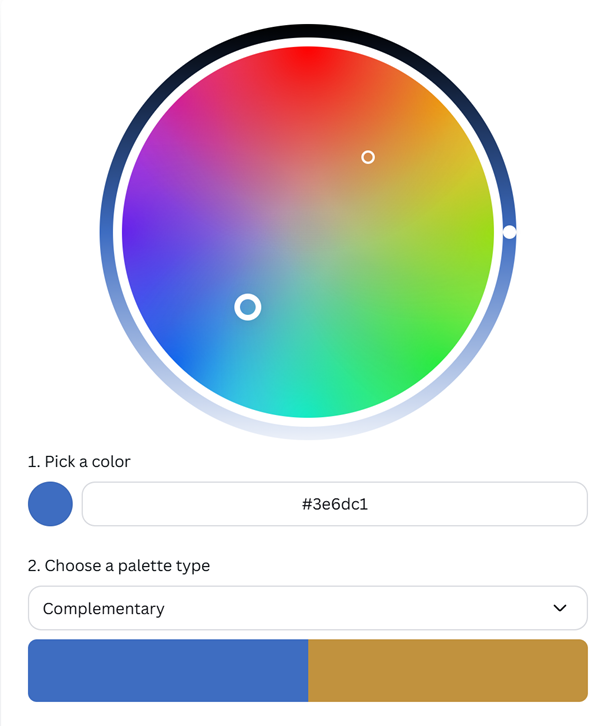
- Pick your favorite color. Identify complementary colors, monochromatic, analogous and triadic colors of your favorite color. Write down the hexadecimal numbers or take screenshots if needed.
- #366dc1
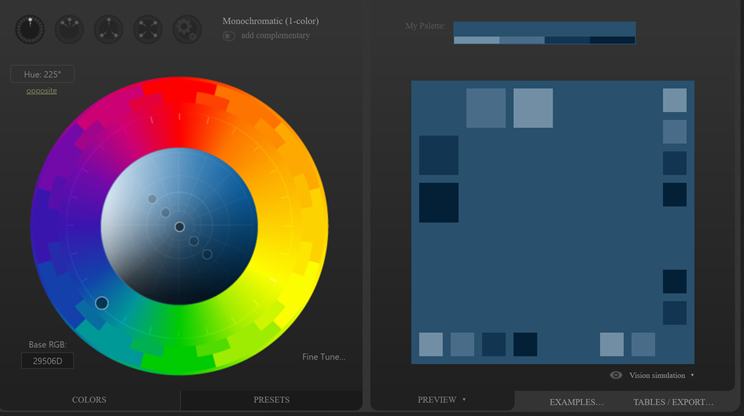
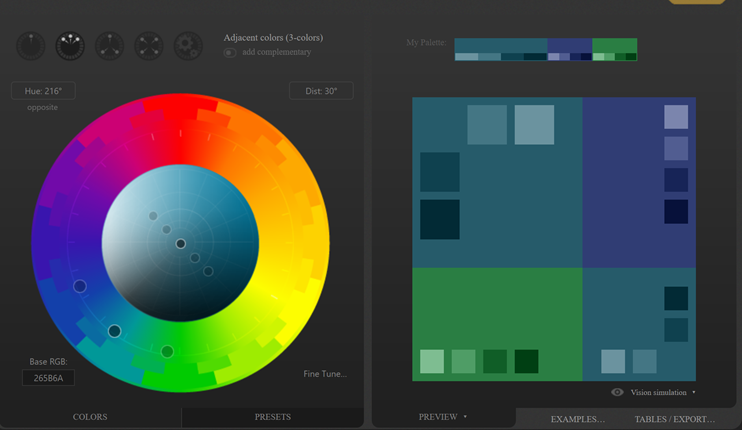
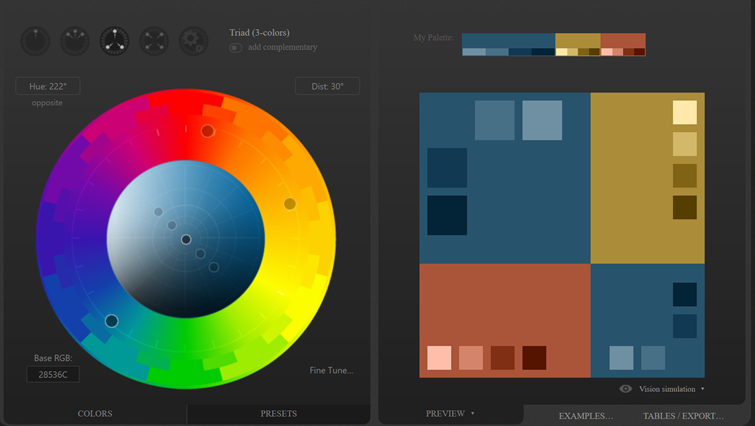
- Visit http://paletton.com to learn about color pallets. Identify three color pallets that you like the most. Choose one monochromatic, adjacent and triad colors. Watch the following video if needed:
- Monochromatic: #29506D
- Adjacent: 265B6A
- Triad: 28536C
https://www.youtube.com/watch?v=RPIk4ETyXV8
https://www.youtube.com/watch?v=EWZljdmLTrk
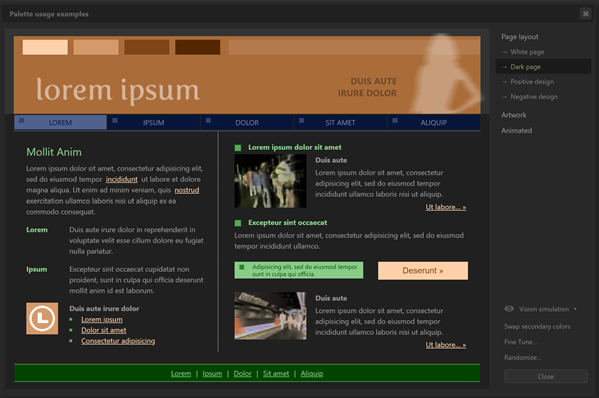
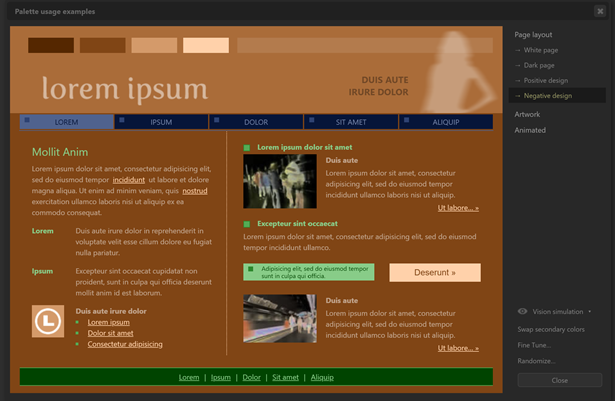
- Apply the chosen color pallets to web pages. Click Examples, Page layout (White page, Dark page, Positive page, Negative page). Click Presets, Previews, Tables/Exports and investigate different color setups as described in the videos above. Write down few color choice and text combinations you liked. You can provide some screenshots as well. Unfortunately, Examples seem to be not working at the moment. Write a paragraph or two describing your Paletton color choice experience
- Watching the color wheel change was really helpful, as I’ve never been one that is good with complimentary colors and that has helped a LOT. A few websites that I found had some interesting color combos. They did not seem that they really complimented each other. One that always comes to my head is Facebook and the colors are not complimentary according to the wheel, but I’ve always been taught any color goes with white.
The Triad colors were really intriguing to see change, as there were some that I did not think complimented each other. An example is purple, green, and a gold color. Or burnt orange, blue and a brighter green. It was really interesting to see the colors change.
- Watching the color wheel change was really helpful, as I’ve never been one that is good with complimentary colors and that has helped a LOT. A few websites that I found had some interesting color combos. They did not seem that they really complimented each other. One that always comes to my head is Facebook and the colors are not complimentary according to the wheel, but I’ve always been taught any color goes with white.
- Take screenshot(s) of the Page Layouts under Examples for each color palette.
- Visit https://www.canva.com/learn/100-color-combinations/ and identify three color combinations that you like and explain your reasons using chunking of text.
- Monochromatic: I like this because it easily shows that it’s all under 1 specific color. This would be tough to use in a website though, so too much of one color may make it harder for people to read.
- Fresh & Bright.
- Complimentary: This is my favorite out of all of them, since the complimentary are what I struggle with but understanding that they are direct across the color wheel is great and they all look so cohesive.
- Dark & Earthy
- Triadic color: I like this as this gives life to a website I would say and shows that even if there are multiple colors they can still work nicely together.
- Outdoorsy & Natural
- Monochromatic: I like this because it easily shows that it’s all under 1 specific color. This would be tough to use in a website though, so too much of one color may make it harder for people to read.
- Find on your own two additional resources related to writing for the web, and color as a web design tool.
- Create a web page answering all the above questions.
- Post your weekly blog post. Submit the permalink of the blog.
- Will link in this and turn it in.
- Create a Word document with a link to your web page and blog post.